Samsung has started rolling out the update One UI 8 Watchbased on Wear OS 6for him Galaxy Watch 6 and the Galaxy Watch 6 Classicstarting in South Korea and with a global launch planned for the coming days. This is the biggest software leap that these watches have received since their arrival in 2023, with a renewed interface, new gestures, improvements in notifications and a good handful of extra functions focused on health and personalization.
The Galaxy Watch 6 had temporarily taken a backseat while Samsung first updated the Galaxy Watch 7, the Galaxy Watch 7 Ultra and the Galaxy Watch 8 family, who have already enjoyed One UI 8 Watch for months. Now, with a firmware identified by a number ending in CYK2 and distributed via OTA (Over The Air), the company updates its 2023 watches; It is advisable to have sufficient battery, a Wi-Fi connection and, if possible, a backup before updating.
What changes in the Galaxy Watch 6 with One UI 8 Watch
The most visible change comes with the new interface. One UI 8 Watch launches the “Now Bar”a bar at the bottom of the face that continuously shows current tasks and allows quick access to key functions, such as timers or workouts. The app drawer has also been redesigned, with new icons and more layout options, and it is now possible to group several widgets on a single tile to have more information at a glance without cluttering the carousel with tiles.
The daily experience also relies on more advanced gestures. Can pinch twice thumb and index finger to view or respond to notifications, control music or trigger the camera, and shake your wrist to return to the dial without touching the screen. Notifications are better grouped by application, they allow conversations or superimposed messages to be displayed, and there is an intelligent reception mode that decides whether they should ring on the mobile phone, on the watch, or on both, depending on whether we are using the phone at that moment.
More health, sleep and personalization in Samsung Health
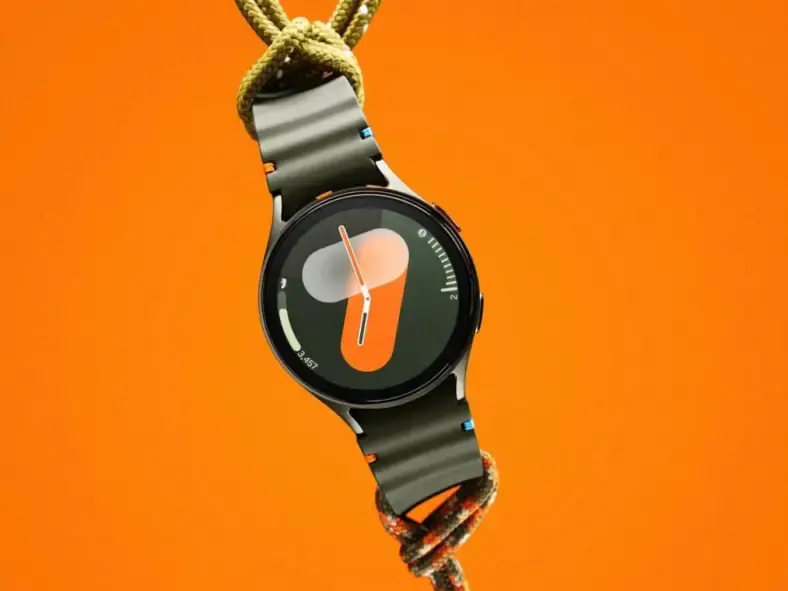
In the health section, One UI 8 Watch adds a new «Bedtime Guide» which analyzes our sleep patterns and recommends an ideal time to go to bed each day, something useful if the watch already accompanies you every night. There is also a module of “Mindfulness” within Samsung Health, designed to record moods and stress levels and accompany them with guided breathing exercises. Added to this are new dials and automatic dial recommendations based on the colors and type of data we use most, so that the watch best suits you.
Additionally, you can set important reminders so they are always at the top of the list, create custom tiles that mix data from multiple apps—such as weather, calendar, and tasks—and even allow you to set up to twenty timers simultaneously, useful for multitaskers like cooking, train or attend to household chores. It's not an absolute revolution, but it is a collection of small changes that make the Galaxy Watch 6 look much more modern than yesterday.
One UI 8 Watch extends the life of the Galaxy Watch 6
To check if the update is available, simply open the app Galaxy Wearables On your mobile, go to “Watch Settings” and tap “Watch Software Update” to check for new versions and download and install the package when it appears. For now, the rollout has started in Korea, but if Samsung maintains the pace of other years, users in Spain and Latin America should receive One UI 8 Watch on their Galaxy Watch 6 in the coming weeks without the need to make complex configurations, beyond checking the menu from time to time.
This update confirms that the Galaxy Watch 6 continues to be a very valid bet for anyone who wants a complete and relatively compact smartwatch within the Samsung ecosystem, even compared to the most recent models. One UI 8 Watch It improves the way we manage tasks, sleep, notifications and shortcuts from the wrist, and it can be a good excuse to put the watch back on if it's been sitting in a drawer for a while. Will you update your Galaxy Watch 6 as soon as the One UI 8 Watch arrives or do you prefer to wait to see how it responds in terms of battery and performance?