LineageOS makes the leap to Android 16 with the version LineageOS 23a movement that prolongs the life of dozens of phones abandoned by their brands. The community ROM incorporates a good part of the improvements of the Google system and adds its own changes to the interface and apps, with stable compilations already available for more than a hundred models.
In addition to the version jump, the project has taken the opportunity to update and redesign classic ROM functions. The notification 'island' has been redesigned; the Twelve player adds a shuffle button and a more complete 'Now Playing' screen; In addition, there are improvements to backups, WebView and upload control, and a new app to send content to Android TV, Catapult. They also arrive new ringtones and alarms.
Key new features of LineageOS 23 (Android 16)
The Android 16 base brings improvements in privacy and permissions (more integrated photo picker and cloud image searches) and includes background performance management and LE Audio for compatible headphones. LineageOS adds its usual layer of fine-tuning and own app maintenance, and maintains the balance between fluency, cleaning and personalization no bloatware.
In daily use, the changes are seen in the details of the interface(more consistent animations and notification panel) and in practical utilities such as load control to take care of the battery or the new player options. For those who continue to use veteran devices, the ROM is once again an alternative to receive patches and functions that rarely arrive through official channels.
What mobile phones are compatible and how is it updated?
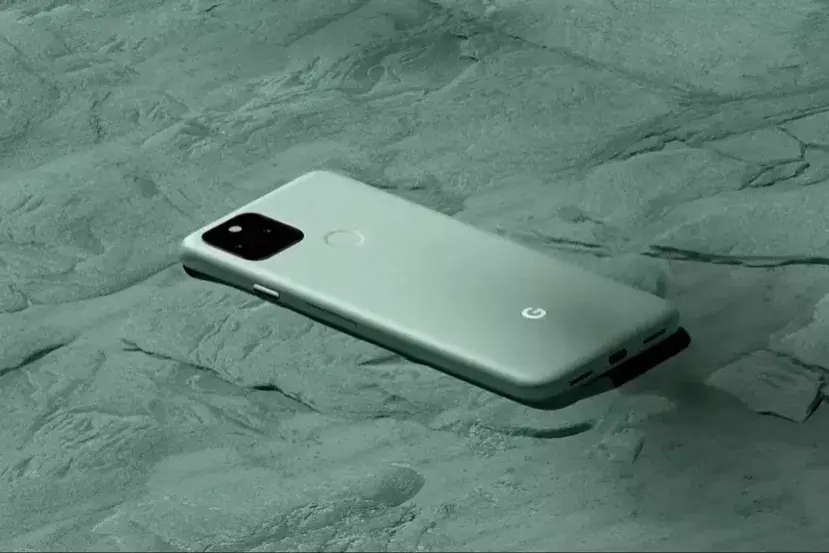
The team has released builds for more than 100 devices from brands such as Google, Samsung, OnePlus, Xiaomi, Motorola or Sony.
The specific list:
- Motorola edge 40 pro / Motorola moto X40 / Motorola edge+ (2023)
- Motorola moto e7 plus / Lenovo K12
- Motorola moto g 5G – 2024
- Motorola moto g power 2021
- Motorola moto g stylus 5G (2022)
- Motorola moto g stylus 5G
- Motorola moto g10 / Motorola moto g10 power / Lenovo K13 Note
- Motorola moto g200 5G / Motorola Edge S30
- Motorola moto g30 / Lenovo K13 Pro
- Motorola moto g34 5G / Motorola moto g45 5G
- Motorola moto g9 play / Motorola moto g9 / Lenovo K12 Note
- Motorola moto g9 power / Lenovo K12 Pro
- OnePlus 7 Pro / OnePlus 7 Pro (T-Mobile)
- OnePlus 7T / OnePlus 7T (T-Mobile)
- OnePlus 8 / OnePlus 8 (T-Mobile)
- OnePlus 8T / OnePlus 8T (T-Mobile)
- OnePlus 9 / OnePlus 9 (T-Mobile)
- OnePlus 9 Pro / OnePlus 9 Pro (T-Mobile)
- OnePlus Nord CE 2 Lite 5G
- OnePlus Nord CE 3 Lite 5G / OnePlus Nord N30 5G
- OnePlus Pad 2 Pro / OnePlus Pad 3
- Realme 9 Pro 5G / Realme 9 5G / Realme Q5
- Samsung Galaxy F62 / Samsung Galaxy M62
- Samsung Galaxy Note10+ 5G
- Samsung Galaxy S20 FE / Samsung Galaxy S20 FE 5G
- Samsung Galaxy Tab A7 10.4 2020 (LTE)
- Samsung Galaxy Tab A7 10.4 2020 (Wi-Fi)
- Samsung Galaxy Tab S6 Lite (LTE)
- Samsung Galaxy Tab S6 Lite (Wi-Fi)
- Samsung Galaxy Tab S7 (LTE)
- Samsung Galaxy Tab S7 (Wi-Fi)
- Xiaomi 12T Pro / Xiaomi Redmi K50 Ultra
- Xiaomi Mi 9T / Xiaomi Redmi K20 (China) / Xiaomi Redmi K20 (India)
- Xiaomi POCO F5 (Global) / Xiaomi POCO F5 (India) / Xiaomi Redmi Note 12 Turbo
- Xiaomi POCO F5 Pro / Xiaomi Redmi K60
- Xiaomi Redmi 12C / Xiaomi Redmi 12C NFC / Xiaomi POCO C55
- Xiaomi Redmi 3S / Xiaomi Redmi 3X / Xiaomi Redmi 4 (India) / Xiaomi Redmi 4X / Xiaomi Redmi Note 5A Prime / Xiaomi Redmi Y1 Prime
- Xiaomi Redmi 4A / Xiaomi Redmi 5A / Xiaomi Redmi Note 5A Lite / Xiaomi Redmi Y1 Lite
- Xiaomi Redmi 7A / Xiaomi Redmi 8 / Xiaomi Redmi 8A / Xiaomi Redmi 8A Dual
- Xiaomi Redmi Note 10 Pro / Xiaomi Redmi Note 10 Pro (India) / Xiaomi Redmi Note 10 Pro Max (India)
- Xiaomi Redmi Note 10S / Xiaomi Redmi Note 10S NFC / Xiaomi Redmi Note 10S Latin America / Xiaomi POCO M5s
- Xiaomi Redmi Note 8 / Xiaomi Redmi Note 8T
To install, the standard process goes through unlock bootloaderflash the recovery recommended (Lineage Recovery or the device's own), make a backup and follow the official guide for your model step by step. If you are already using a recent version of LineageOS, you will be able to upgrade to LineageOS 23 following the clean update instructions (with data wipe where indicated) to avoid conflicts.
New life for old phones
With Android 16 and LineageOS 23, the ROM scene shows that there is room to extend the useful life of many smartphones with careful and updated software. It's not for everyone (it requires knowledge and involves taking risks), but for those who enjoy tinkering or need to get the most out of good hardware, it's great news.
Despite the risks, LineageOS already proved its worth when managed to bring Android 12 to mythical models like the POCO F2, the Mi 10T and the Galaxy S10. This time the list expands, and it is a very good opportunity for your terminal to recover some of the performance and functions of its best times.
Are you going to install LineageOS 23 on your mobile? We read you in the comments.